Lifetime deal
Lifetime deal via

Redeem your KenMoo code.

Seven screens, about five minutes, no card. Every picture below is the real product — this is exactly what you'll see.

Every screen, in order

From the code in your KenMoo receipt to a workspace with your frameworks in it. Nothing is created until the last one.

Enter your code — step 1 of redeeming an Iron Fort KenMoo code
Step 1

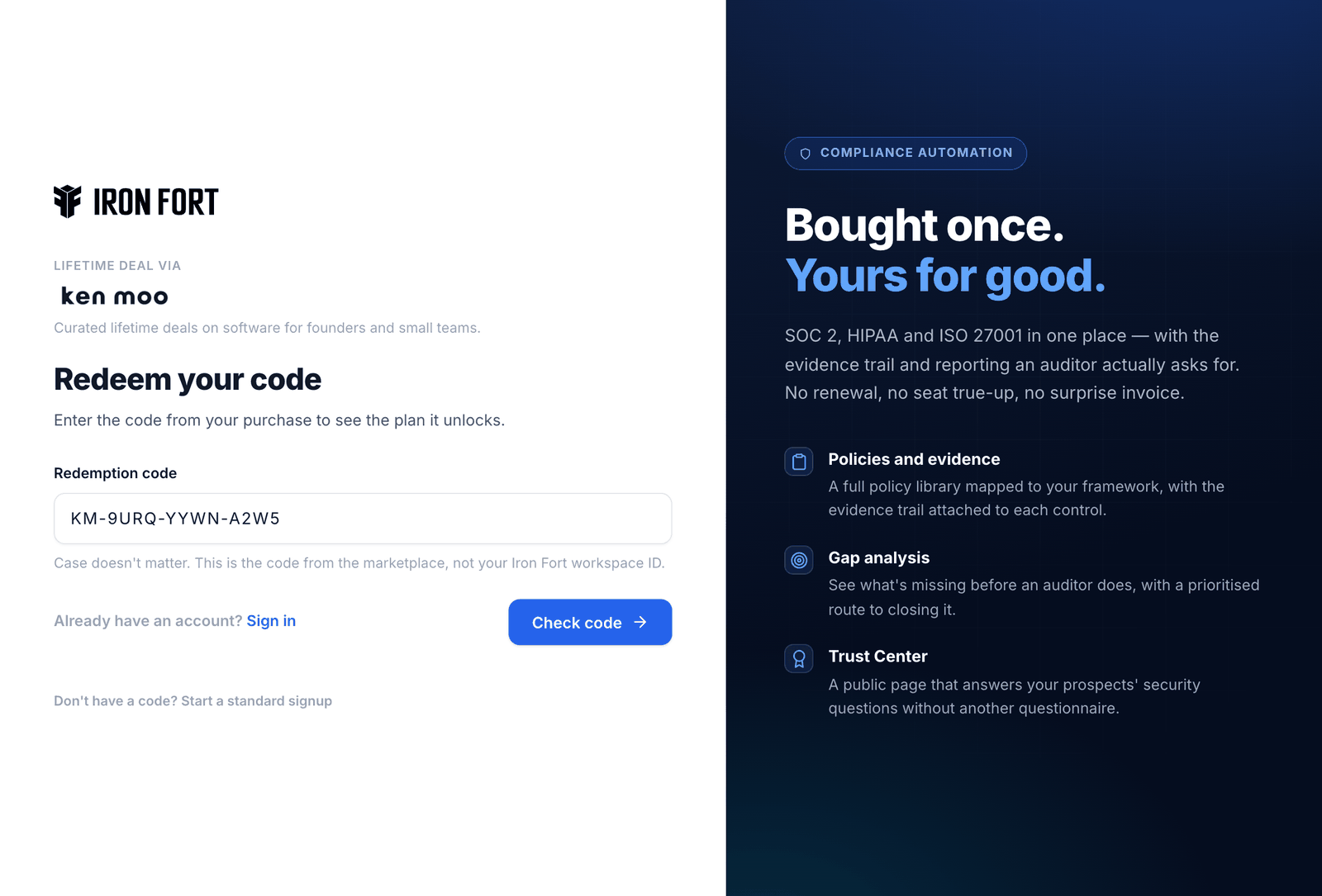
Enter your code

Your KenMoo purchase email carries a redemption code. Open the KenMoo redemption page and paste it in — the link in your email fills it in for you.

Case does not matter. The code is the one from the marketplace, not an Iron Fort workspace ID.
See exactly what it unlocks — step 2 of redeeming an Iron Fort KenMoo code
Step 2

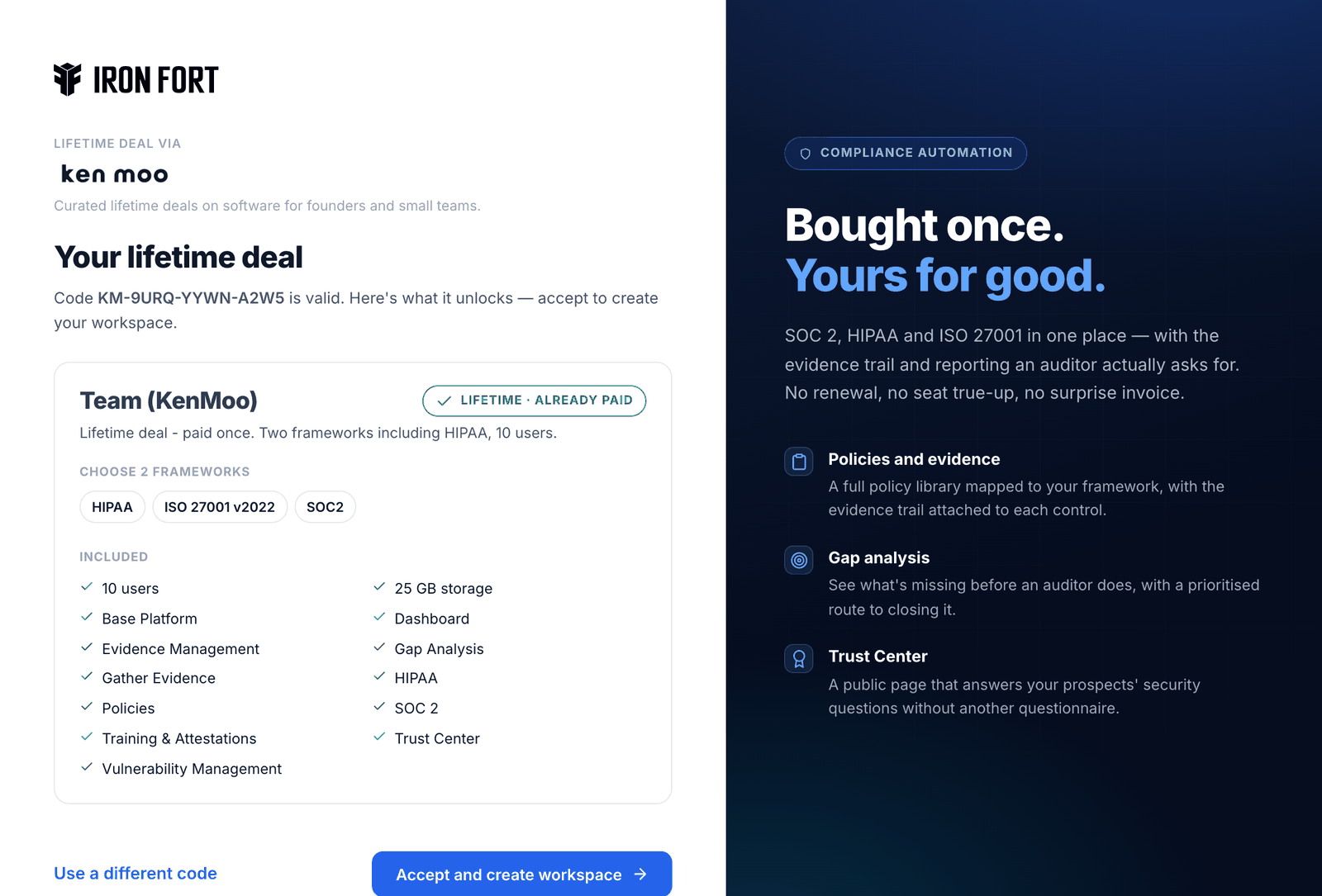
See exactly what it unlocks

Before anything is created, the page shows the tier your code grants: how many frameworks, how many users, and every module included.

Nothing is claimed yet. If this is not the tier you bought, stop here and go back to KenMoo — no workspace has been made.

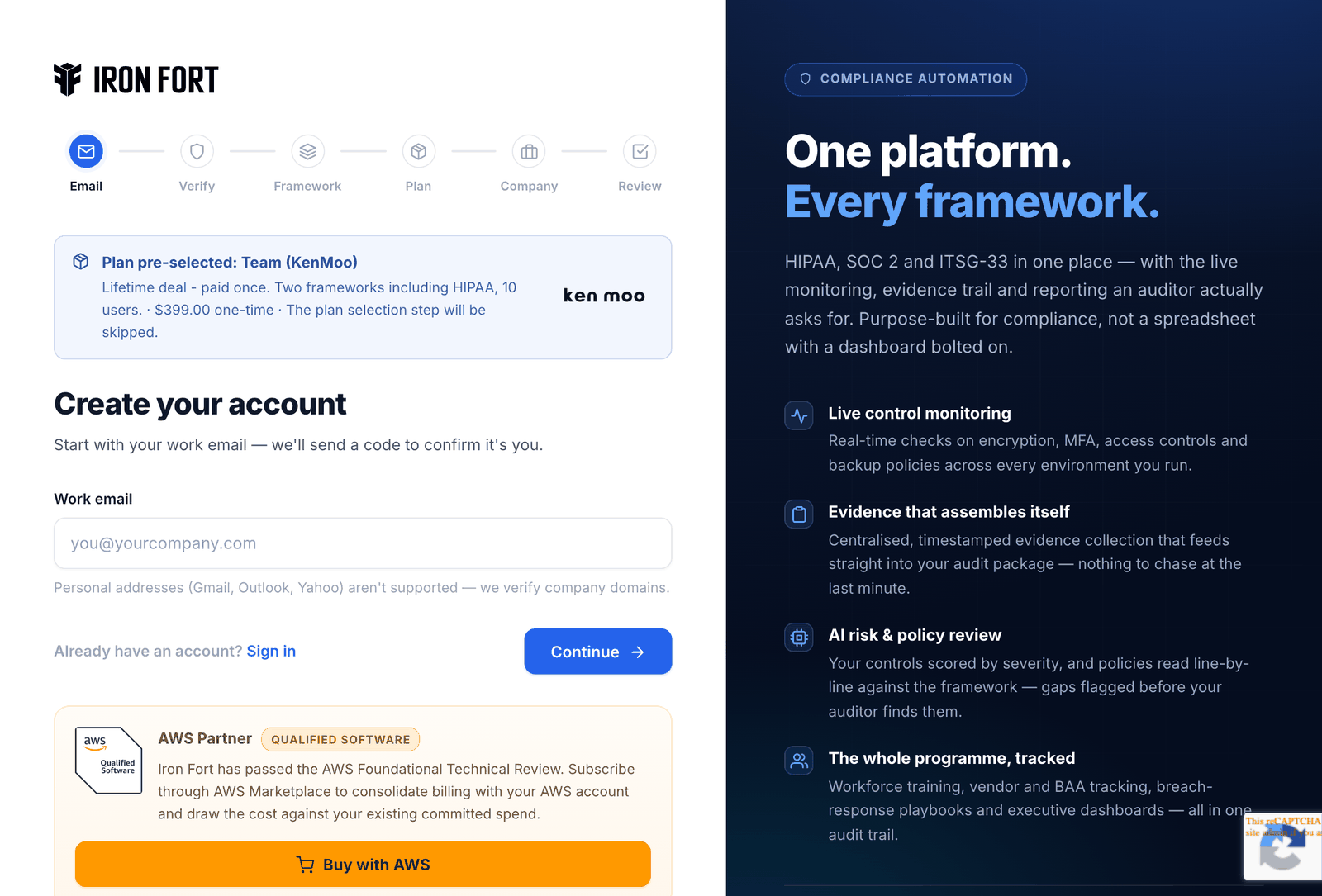
Start your workspace — step 3 of redeeming an Iron Fort KenMoo code
Step 3

Start your workspace

Accepting takes you into signup with the plan already attached. The KenMoo mark stays on screen so you can see the deal you bought is the deal being applied.

Use a work email. Personal providers are refused, because the workspace is a company record.

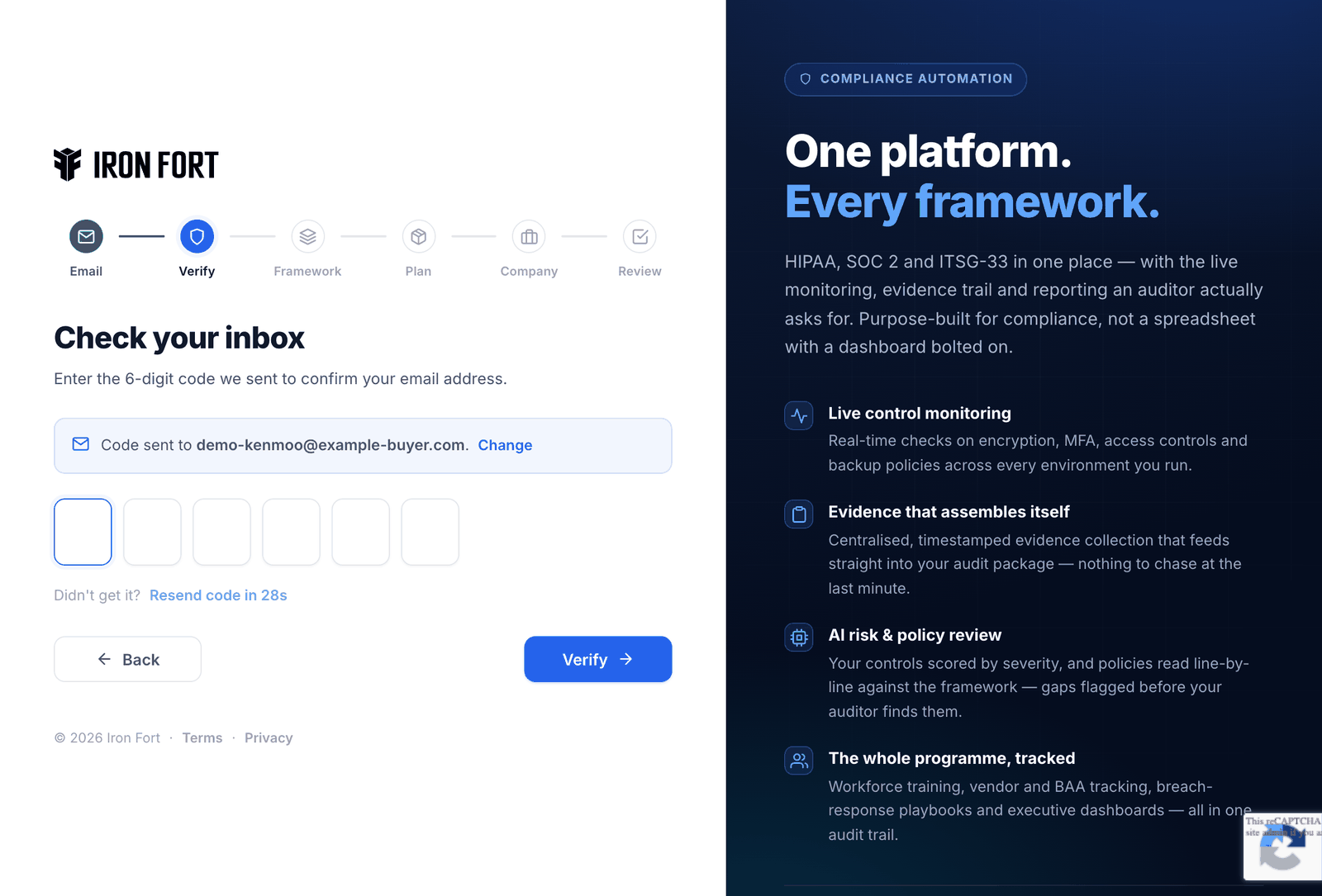
Confirm your email — step 4 of redeeming an Iron Fort KenMoo code
Step 4

Confirm your email

A six-digit code arrives in your inbox. It proves the address is yours before a workspace is built against it.

The code is valid for five minutes. If it expires, ask for another — nothing is lost.

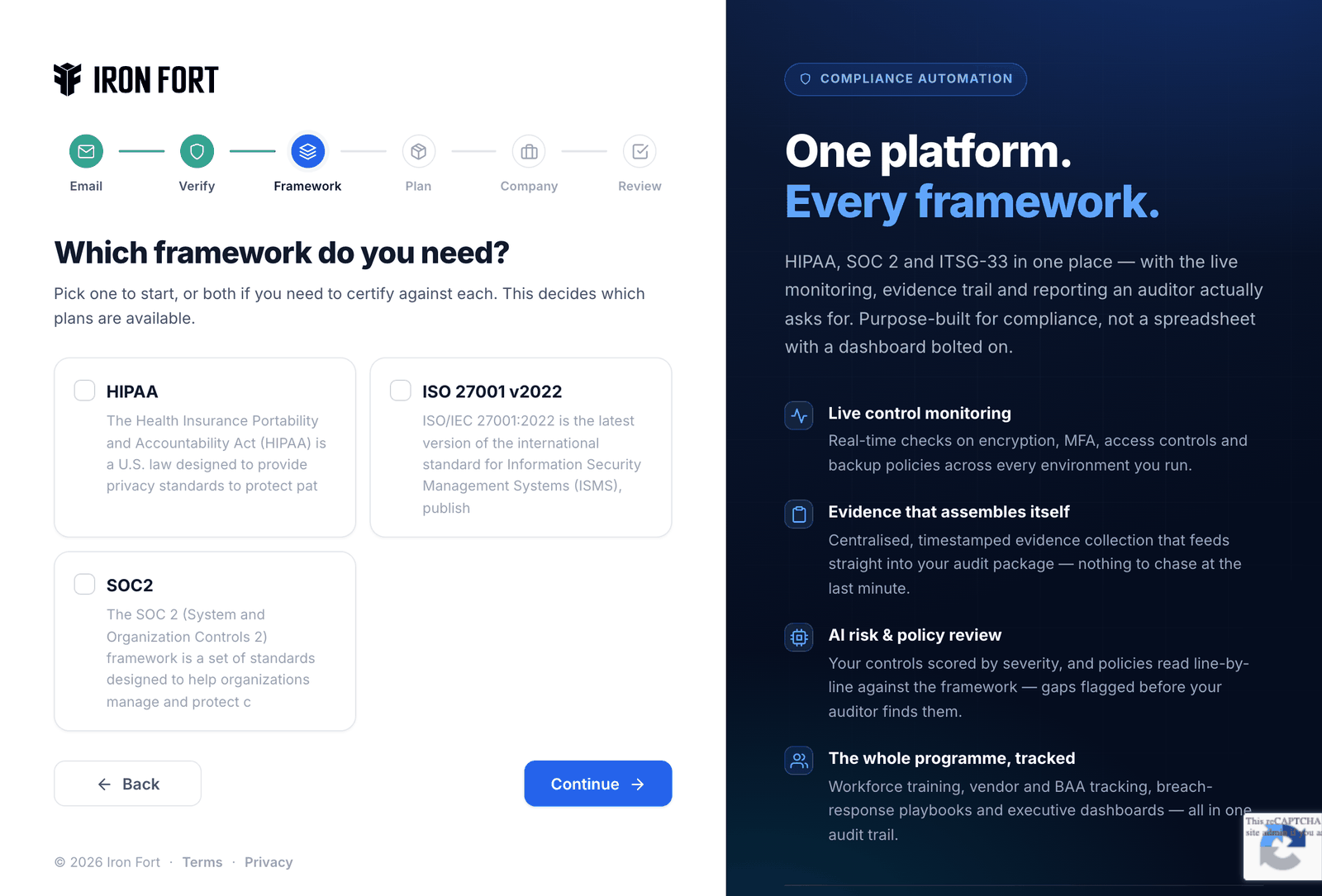
Choose your frameworks — step 5 of redeeming an Iron Fort KenMoo code
Step 5

Choose your frameworks

Pick the frameworks your tier covers — one on Solo, two on Team, three on Scale. The policy library, controls and evidence trail are built around what you choose.

This is the one choice worth taking slowly: it decides which controls your workspace is scaffolded with.

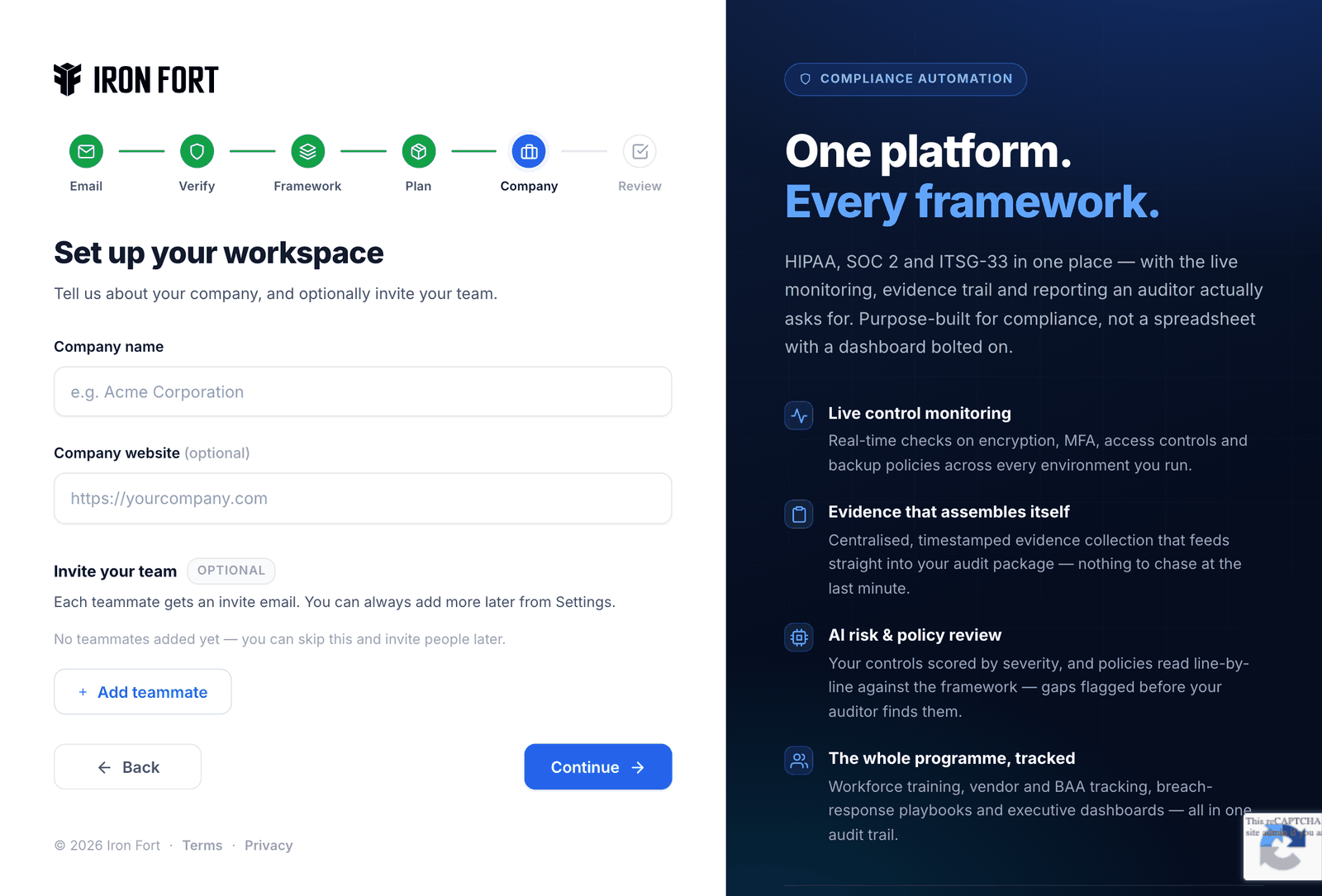
Name your workspace — step 6 of redeeming an Iron Fort KenMoo code
Step 6

Name your workspace

Your company name, and optionally the teammates you want invited on day one. The plan step is skipped — your code already decided it.

Invites can wait. You can add people from Settings whenever you like.

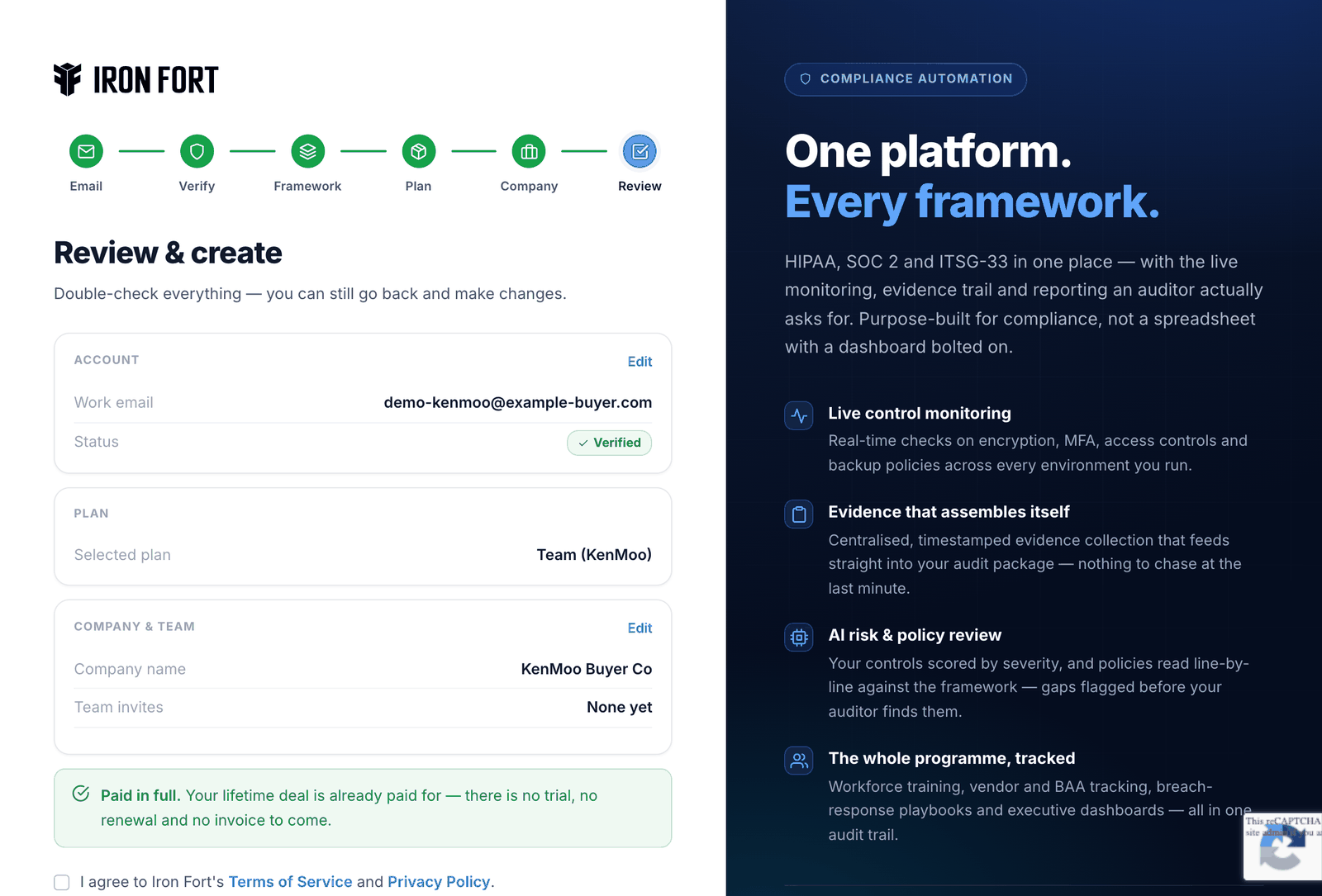
Review and create — step 7 of redeeming an Iron Fort KenMoo code
Step 7

Review and create

A last look at the plan, the company and the frameworks. Create the account and the workspace is yours.

Note the line that matters on a lifetime deal: paid in full. No trial, no renewal, and no invoice coming.

Ready when you are

Have your KenMoo code to hand and it takes about five minutes.

Redeem your code →

Bought somewhere else? EarlyBird · DealMirror · Dealify