Pick the one your policy allows
They are ordered by how much you operate. Expand any one for the summary, or open its page for the full diagram and a walkthrough.
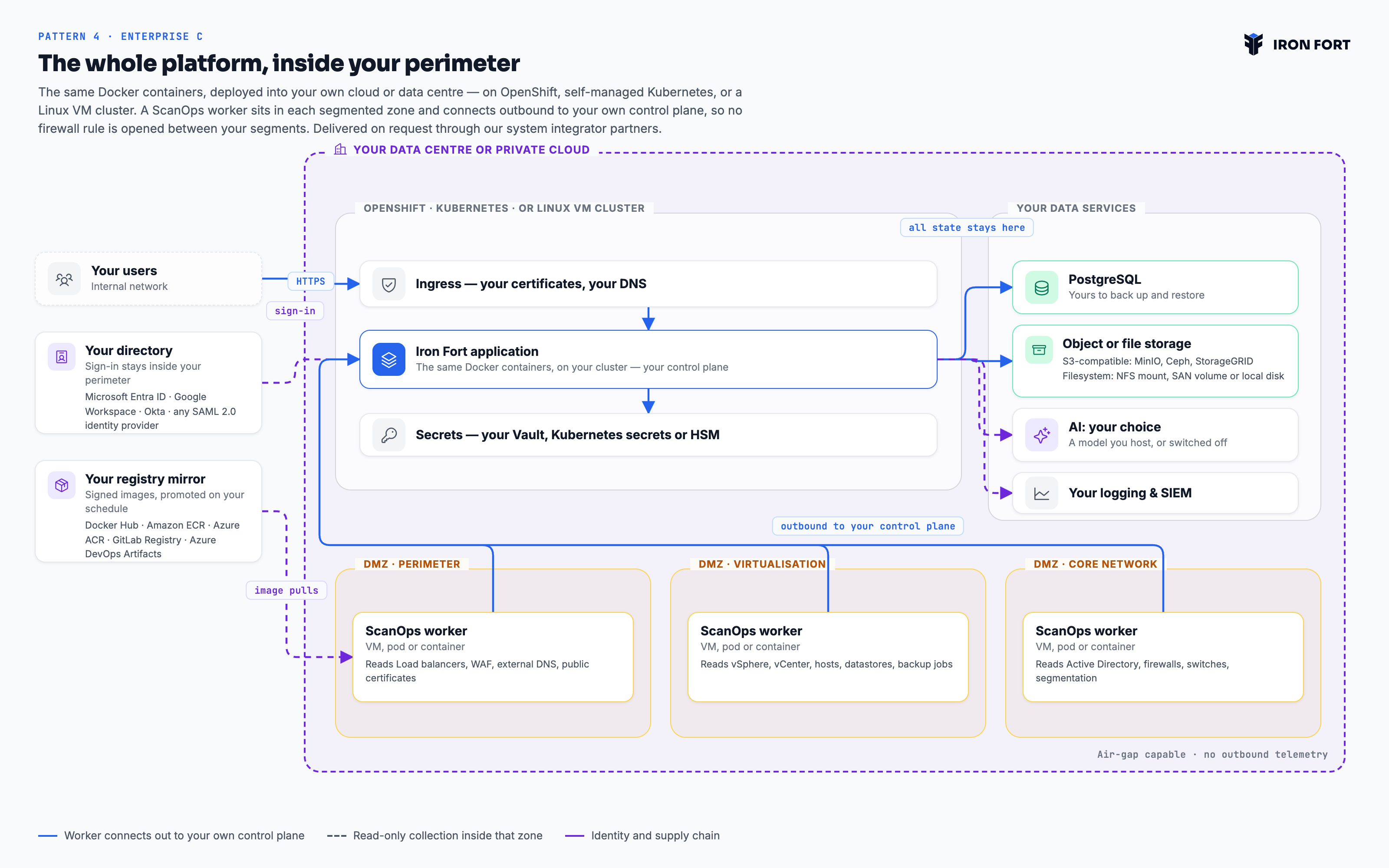
1 Pattern 1 · Founder and Startup plans Fully managed SaaS Founders, startups and small businesses
Nothing to deploy and nothing to operate. Iron Fort runs the platform in North American regions, and you connect your cloud accounts with read-only credentials. You are running a compliance programme the same week you sign up.
The platform is shared and multi-tenant, with isolation enforced at the application and data layer rather than by separate infrastructure. That is what makes it affordable at this size, and it is the right trade for a team whose alternative is a spreadsheet.
- Deployment
- Multi-tenant SaaS on AWS, operated by Iron Fort
- Regions
- ca-central-1 primary, us-east-1 for disaster recovery
- You operate
- Nothing
- Isolation
- Logical — per-tenant scoping and per-tenant storage prefixes
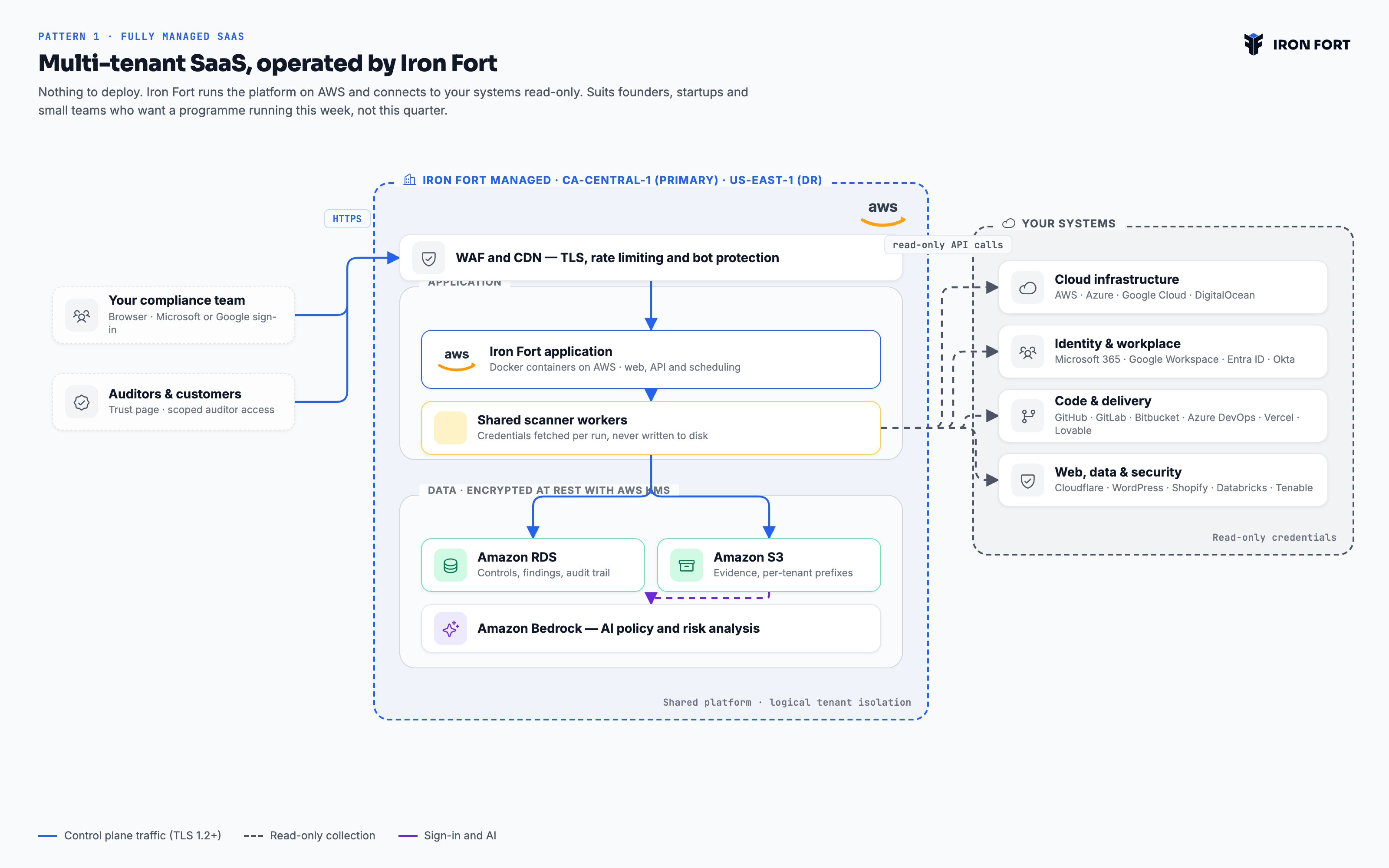
2 Pattern 2 · Enterprise A · Enterprise plans (SMB) Dedicated Iron Fort infrastructure Small and mid-sized enterprises
Your own VPC, database, evidence store and encryption key on AWS — still operated by Iron Fort, so you carry none of the run cost. The application is published, but the firewall admits only the addresses your organisation comes from.
One Iron Fort managed scanner worker runs inside that dedicated VPC, and it is the only component that reaches your systems. Everything it collects stays inside infrastructure dedicated to you, under a KMS key scoped to your tenancy alone.
- Deployment
- Single-tenant VPC on AWS, operated by Iron Fort
- Regions
- Your choice of AWS region, including Canadian residency
- You operate
- Nothing — you supply your egress IP ranges
- Isolation
- Physical — separate VPC, database, bucket and KMS key
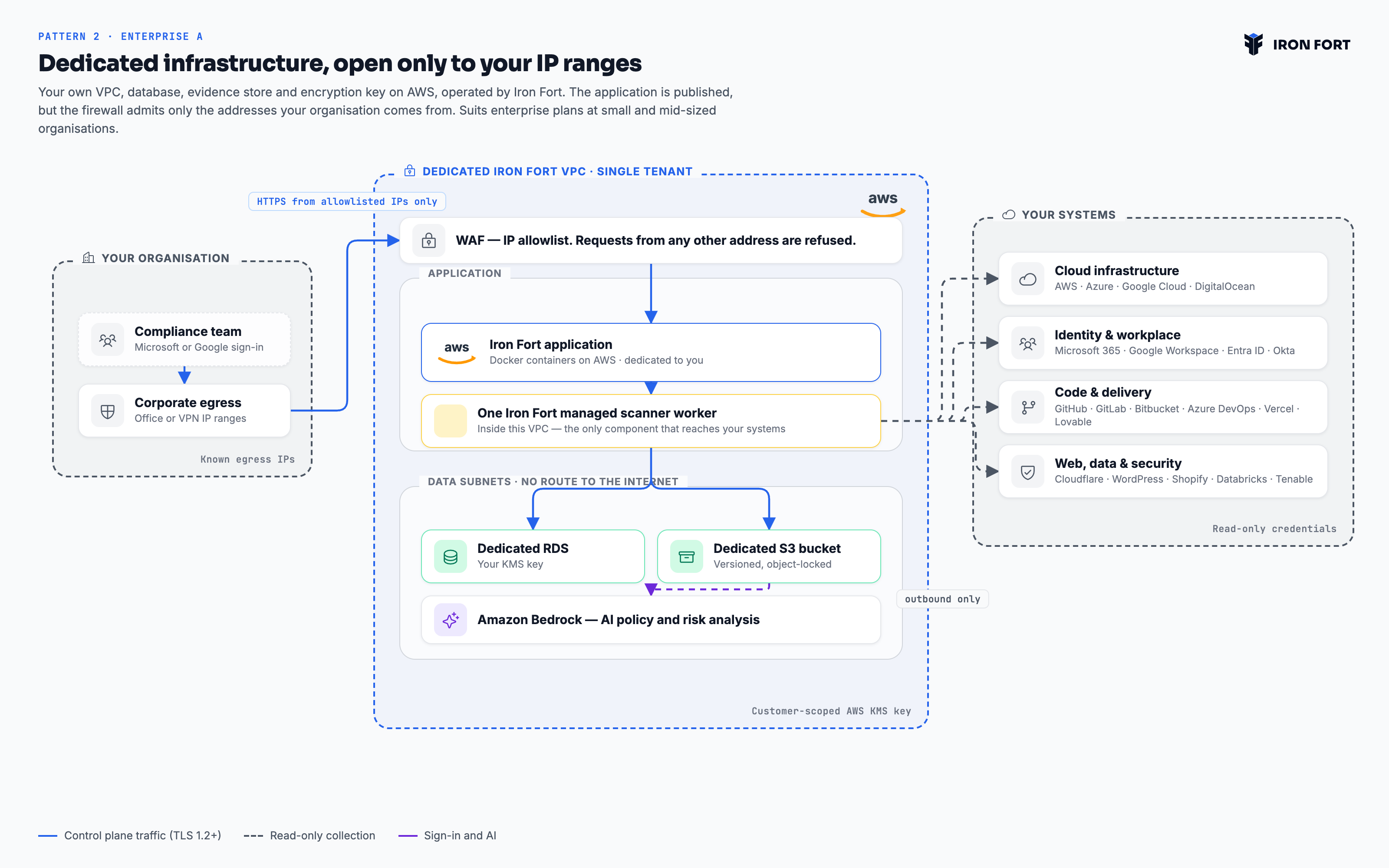
3 Pattern 3 · Enterprise B · Enterprise plans Distributed workers across your estate Multi-cloud enterprises with residency or egress constraints
The control plane stays with Iron Fort, dedicated to you as in Pattern 2. Collection moves into your estate: a ScanOps worker — a VM, a pod or a container — running in a DMZ in every environment you have, across AWS, Azure, Google Cloud and your own data centres.
Iron Fort holds findings, control status and pointers — the artefacts themselves stay where they were collected, under your key and your retention policy. Each worker opens an outbound connection to the Iron Fort endpoint over TLS, authenticated with a key unique to it — nothing is initiated from our side, so you expose no endpoint and write no inbound rule. Every environment keeps its own DMZ and its own collector, and one control plane still shows the whole estate as a single programme.
- Deployment
- Dedicated Iron Fort control plane on AWS. One worker per environment, hosted by you
- Environments
- AWS, Microsoft Azure, Google Cloud and your own data centres, side by side
- You operate
- A DMZ and a ScanOps worker in each environment, plus the storage it writes to
- Isolation
- Dedicated control plane, plus evidence never leaving the environment that produced it
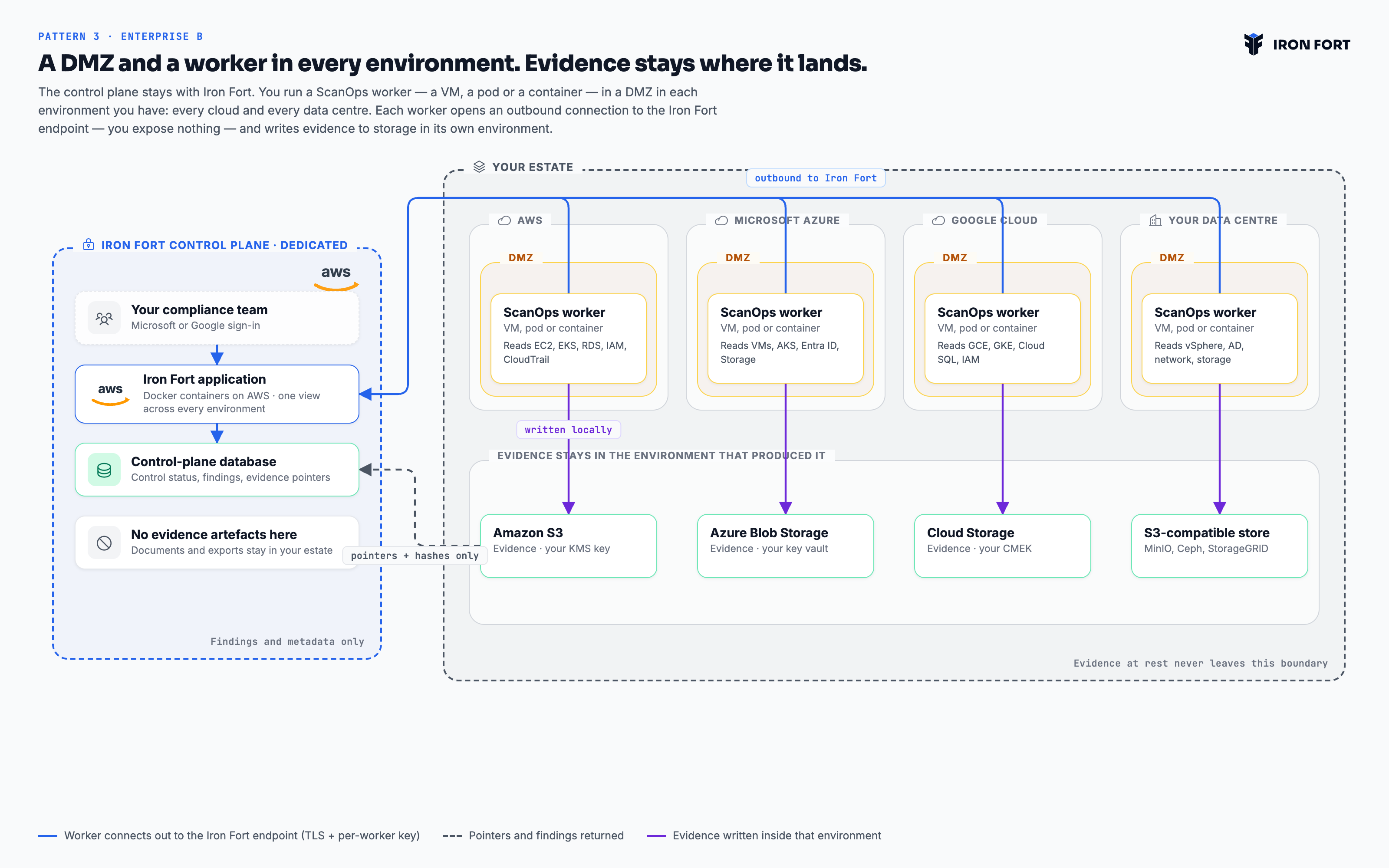
4 Pattern 4 · Enterprise C · Enterprise plans On-premises and private deployment Sovereign, air-gapped and regulated on-premises estates
The same Docker containers, deployed into your own cloud or data centre — on OpenShift, self-managed Kubernetes, or a Linux VM cluster. A ScanOps worker sits in each segmented zone and connects outbound to your own control plane. Every component, every byte of state, inside your perimeter. Available today, delivered on request through our system integrator partners.
No part of the deployment calls home. Updates arrive as signed images you promote through your own registry on your own schedule, which is what makes an air-gapped installation possible rather than merely claimed. An on-premises estate is rarely one flat network, so each segmented zone gets its own DMZ and its own collector: the core cluster cannot reach across a firewall boundary any more than we could from outside it. This is also the one pattern where sign-in can point at a directory inside your perimeter — Entra ID, Google Workspace, Okta or any SAML 2.0 provider — because a disconnected site cannot reach Microsoft or Google over the internet.
- Deployment
- Docker containers you run: OpenShift, Kubernetes, or Linux VM clusters
- Availability
- Available today, implemented on request by our system integrator partners
- Regions
- Wherever your data centre is
- You operate
- Everything — the platform, the database, the object store, the secrets